
Dashcam video
Only the seconds that matter.
AI says what they show.
Konvoi doesn’t upload your cameras all day. Harsh braking from the tracker the truck already carries, the camera’s own alarm or a routine on Konvoi’s own findings decides which seconds come off the truck. Dispatch looks at them and tells you what happened, tied to the vehicle, the driver, the moment and the place.
How a clip is chosen
A signal comes in. Konvoi fetches only those seconds.
The camera records all day onto its own card. Konvoi takes off the truck only what a signal points at, and Dispatch tells you what it shows. Pick a signal.
Signal
Automatic, from the truck’s setupRuptela tracker
Harsh braking
16:52:10
74 to 31 km/h in 4 seconds
Fetched
40 seconds
- 20 s before, 20 s after
- Road lens
- SD
Stays on the truck: the rest of the day
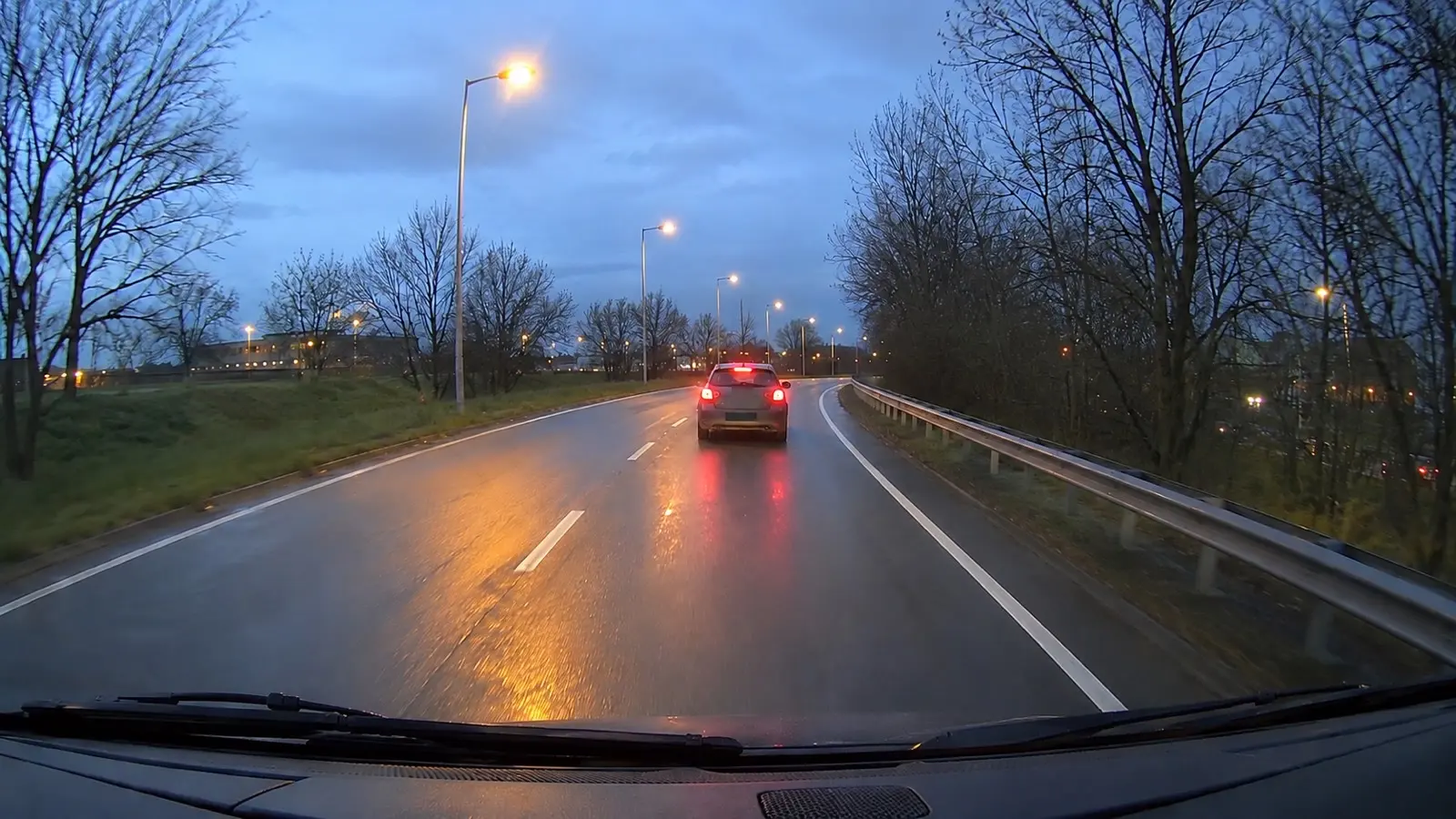
Dispatch, asked what happened
What happened when truck 12 braked hard at 16:52?
A car pulled in from the right about 30 m ahead. The truck braked and kept its lane; no contact visible.
Signal
Automatic, from the truck’s setupThe camera’s driver assist
Forward collision warning
23:14:52
Alarm level 2 at 88 km/h
Fetched
20 seconds
- 10 s before, 10 s after
- Road lens
- SD, over the depot Wi-Fi
Stays on the truck: the rest of the day
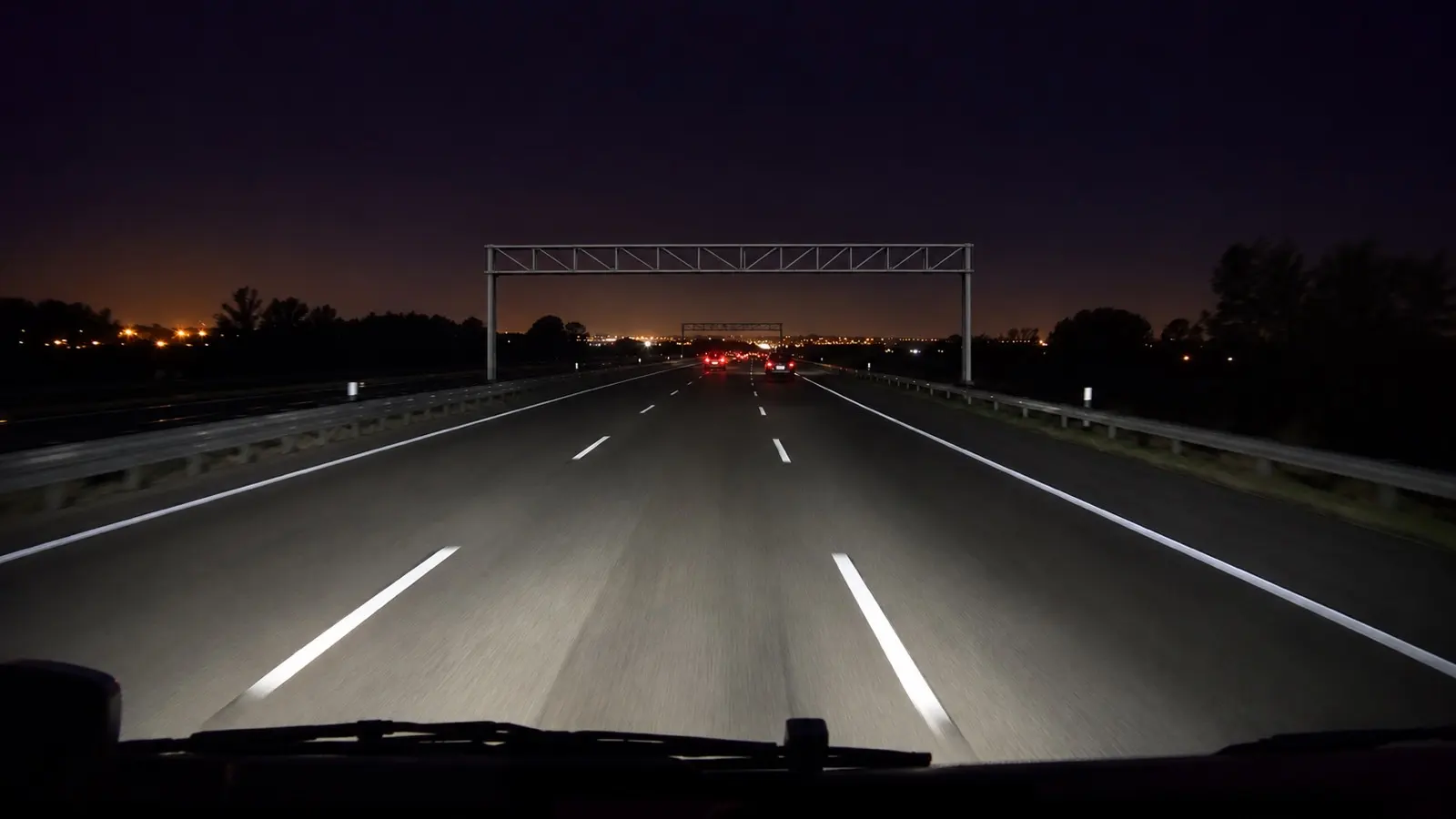
Dispatch, asked what happened
Was the collision warning on truck 7 last night real?
Yes. Traffic ahead slowed fast; the truck braked about two seconds after the warning and stopped well short. No contact.
Signal
A routine you set upKonvoi’s fuel checks
Fuel went missing
07:55:30
62 L left the tank, engine off
Fetched
4 minutes
- First to last fuel event
- Road lens
- SD, over the depot Wi-Fi
Stays on the truck: the rest of the day
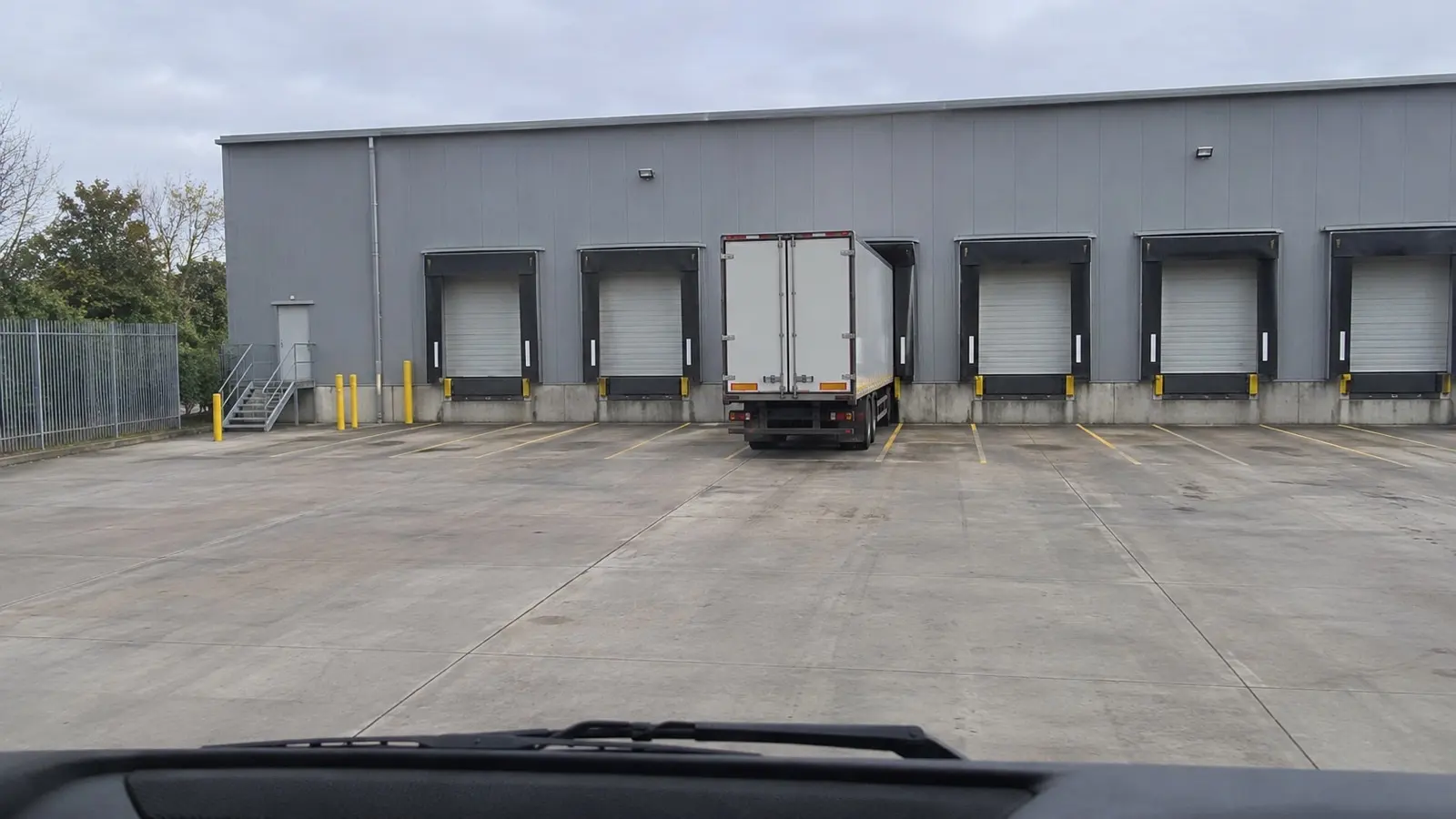
Dispatch, asked what happened
Show me truck 3 while the fuel went missing.
The truck stood at dock 4 the whole time and nobody passed the road lens. Fetch the cab lens for the same minutes?
Sample signals, footage and answers
What decides
Everything Konvoi already knows picks the seconds.
Per vehicle you choose which events fetch a photo or a clip, and how many seconds around them. The rest stays on the camera’s card until someone needs it.
-
Automatic
Your trackers
Harsh braking, harsh acceleration and accidents from the Ruptela and Teltonika trackers your trucks already carry, plus harsh cornering and over-speeding from Teltonika. Any other event a tracker reports can be picked once it has been seen.
-
Automatic
The camera’s own alarms
Forward collision, lane departure, following too close, fatigue, phone use, distraction, no seatbelt: the camera’s driver-assist and driver-monitoring alarms, which an admin turns on from Konvoi.
-
A routine
Konvoi’s findings
Fuel that went missing, a truck entering or leaving a place: a Dispatch routine fetches the footage of that moment. It asks a person first, unless you let it run on its own.
-
On request
You
Pick a moment on the vehicle’s timeline, watch live, or ask Dispatch in plain words.
Konvoi Dispatch
Dispatch looks, so you don’t have to.
Ask what happened at a moment. Dispatch finds the truck’s camera, takes the clip Konvoi holds or asks the camera for it, and looks at the frames with the speed, position and ignition at each one. It tells you what it sees; anything that would change your records, it proposes and a person approves. Every look is logged.
More about DispatchYou
What happened when truck 12 braked hard at 16:52?
- list_cameras Truck 12: road lens, online
- get_camera_footage A 40 s clip, fetched automatically
- review_camera_footage 6 frames, each with speed and position
A car pulled in from the right about 30 m ahead. Truck 12 braked from 74 to 31 km/h in four seconds and kept its lane; no contact visible. The clip is on the truck’s timeline.
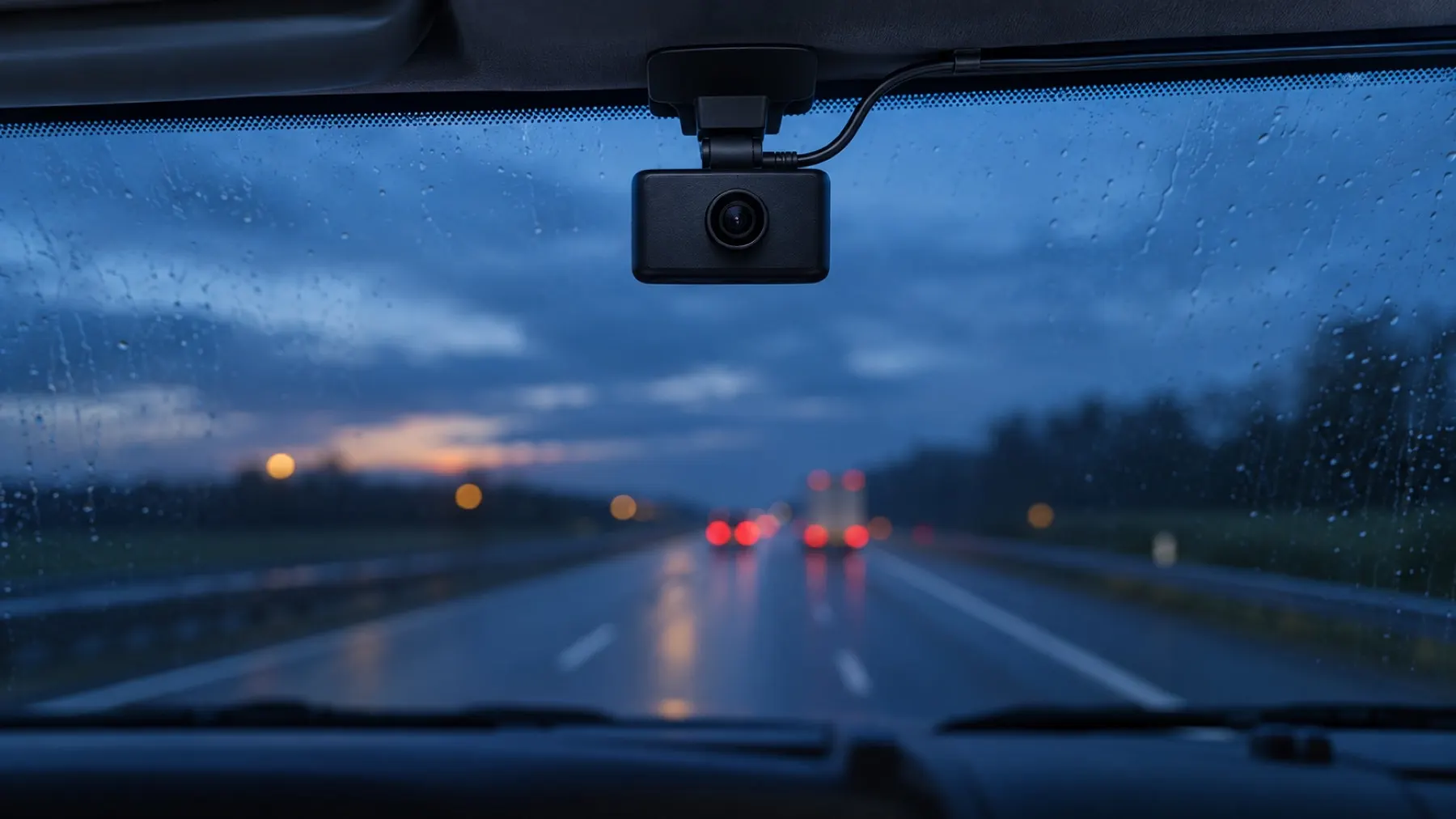
Less data, lower cost, more privacy.
Fetching only what matters costs less mobile data and storage, and keeps most of your drivers’ day on the truck, not on a server.
- SD by default
- About a quarter of the data of HD. Ask for HD when you need the detail.
- Depot Wi-Fi
- Footage that can wait comes off the truck at the depot, not over mobile data.
- Never fetched twice
- A window Konvoi already holds plays at once. An overlapping one fetches only the missing seconds.
- Only what the card holds
- Konvoi knows what is on each camera’s card and only asks for what is still there.
- Stills without data
- A still is cut from a stored clip, without asking the truck for anything.
- Live only while watched
- A live view stops when the last viewer leaves, so no data goes to an empty screen.
One setup per vehicle
Per vehicle, choose what each event does: nothing, a photo, or a clip from a few seconds before to a few seconds after, from the road lens, the cab lens or both. Copy the setup to the rest of the fleet in one go.
- A burst of the same event gives one clip, not ten
- An extra wait before fetching, if you want one
- The bell tells you when a clip you asked for is ready
Live, when it matters
Watch the road or the cab lens live from the vehicle page, the vehicle list or the live map. Everyone watching shares one stream, it stops when the last viewer leaves, and what you watched is kept as a clip.
Footage on the timeline
In the vehicle’s Signals view, video has its own lane next to speed, ignition and events, with a filmstrip you can hover. A large player beside the map follows the cursor, and every clip shows the speed and position at the second it plays. The vehicle’s Footage tab lists every clip and still per day, with why it is there.
Drivers can save a moment
After a near miss or a load that shifted, a driver saves the last 1, 2, 5 or 10 minutes from the Konvoi app. Only when an admin allows it, only from the truck they drive, and only since they took it over.
One setting for every camera
Save a camera profile once, with recording quality, what is shown on the picture and which alarms are on, and push it to every camera. Konvoi reads each camera back and lists the ones that differ or were offline. A short message can be shown and spoken in the cab.
Privacy
Private by design.
A camera in the cab films people at work. Konvoi is built so footage is seen by the people who need it, for as long as it is needed.
-
The cab lens, off
An admin hides a lens per camera, and Konvoi offers it nowhere: no live view, no clip, no automatic footage.
-
A name on every request
Every request for a clip, a still or a live view is logged with who made it: a person, a driver, a vehicle’s setup or Dispatch.
-
Kept for a set time
Footage is deleted after its retention, 30 days by default. An admin keeps what a claim needs.
-
Admins decide
Members watch and ask. Only admins delete or keep footage, change camera settings and set up automatic footage.
-
Drivers see their own time
A driver who saves a clip reaches only the truck they drive, and only since they took it over.
-
Your workspace only
Footage sits in your workspace’s own storage and opens through links that expire after five minutes.
Tell us what you want to see.
An accident claim, a load that shifted, a driver who says it was not their fault: tell us what you want to look back at, and how many trucks you run. We show you the footage in context and set it up with you.
Request a demoQuestions
Which dashcams work with Konvoi?
Konvoi works with the dashcams it supports: a road lens and an optional cab lens, with their own mobile connection. We tell you which in the demo and set them up with you.
Does Konvoi upload everything the camera records?
No. The camera’s card holds the hours. Konvoi fetches only what a signal points at: a tracker event, a camera alarm, a routine, or a person who asks. Never the same footage twice.
Can a clip be saved automatically after harsh braking?
Yes, when the truck carries a Ruptela or Teltonika tracker, or the camera raises its own alarm. Per vehicle you choose which events give a photo or a clip, and how many seconds before and after.
Can Konvoi’s own findings fetch footage, such as missing fuel?
Through a Dispatch routine: when fuel goes missing or a truck enters a place, the routine fetches the footage of that moment. It asks a person first, unless you let it run on its own.
Can we switch off the cab camera?
Yes. An admin hides a lens per camera, and Konvoi then offers it nowhere: no live view, no clip, no automatic footage. Footage already stored stays where it is until its retention ends.
How long is footage kept?
30 days by default, then it is deleted. An admin can keep a clip a claim needs, and only admins delete footage.
Can Dispatch look at the footage?
Yes, when you ask it in the chat or over MCP. Konvoi Dispatch finds the truck’s camera, takes the clip Konvoi holds or asks the camera for it, and looks at the frames with the speed, position and ignition at each one. Every request carries the name of the person who asked, and every look is logged.
Is dashcam footage allowed under the GDPR?
Konvoi gives you the means: a cab lens you can switch off, footage fetched only when needed, a fixed retention, and a name on every request. As the employer you decide the purpose and inform your drivers.
What does dashcam video cost?
Dashcam video is a module, switched on per workspace. Pricing is on request: tell us how many trucks you run at [email protected].
Related
- Fuel theft detection Every card swipe checked against the tank level.
- Telematics Transics, Ruptela, Teltonika and PAJ in one live view.
- Container tracking Which truck picked up which container, and where it went.
- Sensors & AI vision Smart sensors and cameras that catch what trackers miss.
- Documents & compliance Insurance, inspections, licences and fines read and filed.
- Exceptional transport permits Belgian cat. 1–4, UK STGO and foreign permits in one register.
- Vehicle inspections Walkaround on the phone, sealed report out.
- Driver portal Drivers see their vehicle, papers and fines.
- Konvoi Dispatch Ask your fleet. Approve what it proposes.
Put your fleet
On Autopilot
One platform for your whole transport operation: live telematics, compliance documents, fuel, drivers and inspections.
- We set up your workspace with you
- Cancel anytime
- GDPR compliant